Goodbye MEGA

Their iOS app is too damn slow. Just try viewing images.

Not worth paying for something that doesn’t work.

How is pCloud a good option? They have lifetime plans. Which means, when they are no longer in business, no more space.

Surprised they are still in business. They claim Nike and Uber and various other people use them.

Might have to contact them contact them to use rClone as well.

I’ll pass.

Only need it to share files. I’d use my shared hosting, but I setup password protected folder, and then it stopped working. Shared hosting means zero control, and not worth my time to fuck with it.

I will only use static HTML if using my shared hosting.

There’s Filen Filen, but their iOS app might be no good. Just look at recent reviews.

Didn’t know there was a third party files app.

Bummer, Firefox for iOS, no longer has working sync.

Also, thinks I have two iPhones. Probably cause it made me resign in.

That Documents app is good, if you want to pay a subscription.

How slow is Koofr from the US? Not many reviews for the iOS app.

Well, I just won’t share any videos or photos anymore. At least not using the internet.

Now to send this image to my phone, using LocalSend, since Cloud providers are useless. At least MEGA is.

All that to make a custom watch face for my shitty Garmin watch. That’s another brand, you don’t get what you pay for.
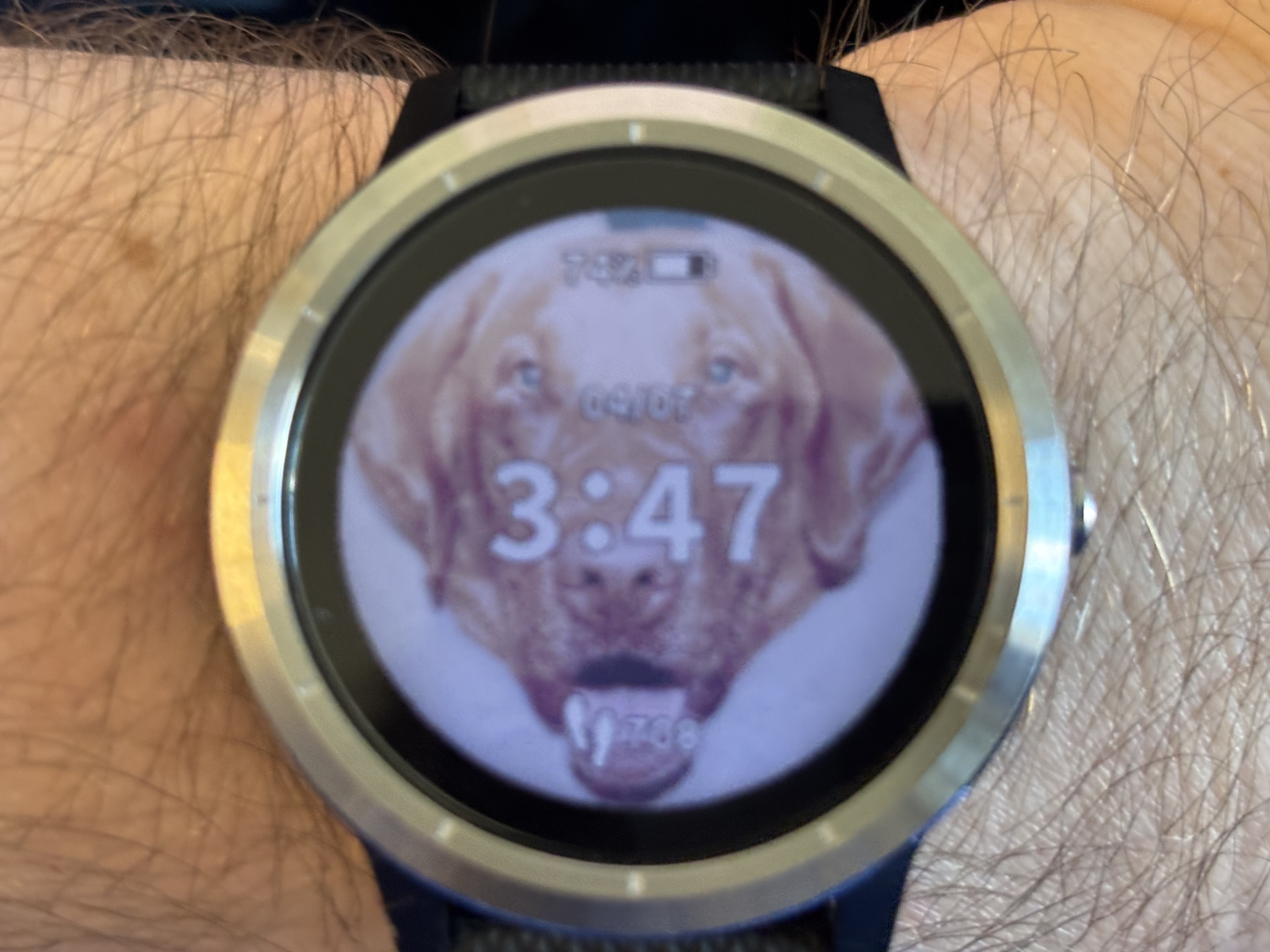
Sorry about the blurry image, had a time limit before screen decreased it’s brightness.

Also, had to turn the brightness up. If using a dark black background, wouldn’t recommend a back light higher then 10. Even at 10, it doesn’t look right.

And even with 10, the battery life still sucks. The crappy Nothing watch lasts longer. But can’t lock the screen.
The downside of not paying any attention to anything

Remove a ton of packages.

All I did was type “sudo apt reinstall -f bluetooth” or bluez or something.

The good news is, I copied everything it removed. And yes I typed y and enter without reading a thing.

Go through the text file, and guess what I might want.

And then ran sudo apt install $(zcat /var/log/installer/initial-status.gz | sed -n ’s/^Package: //p’ | sort -u), to make sure I have everything Linux Mint came with.

Still had a bunch of KDE crap too. Now I get to reboot again.

No wonder it was being kind of slow. I broke it in more then one way. If removing the NIXOS package manager, and system-manager, you might want to change the shell for the root and nobody account. I removed system-manager manually, after removing the NIX stuff.

Well, Remarkable might be broken. Click a suggestion, and it doesn’t change it.

Liver

If somebody has a bad liver, can they take any medicine?

Looks like Remarkable Remarkable is better, at least for markdown.

Good for lazy people too. No more manually typing markdown.

FeatherPad FeatherPad works, but to spell check, I have to go into the menu and check it. Doesn’t check it all the time.

The text editor that comes with Linux Mint is apparently broken. I forgot the issue I had though.

Well, FeatherPad works for bash script file editing.

Don’t recommend installing any KDE stuff in Linux Mint. Slowed it down, then had to remove it all.

The downside of exporting a text file of everything installed in openSUSE Tumbleweed, and installing everything in it, without even thinking.

Nice, Linux is using under 8 GB of RAM. macOS doesn’t work very well with only 8 GB of RAM.

Does seem to be being a little slow. But according to the system monitor, it isn’t doing much.

How to encode H265 video that plays on iOS with ffmpeg

Not using ffmpeg & VAAPI worked for me. Maybe the ffmpeg in Linux Mint has issues. Or maybe VAAPI with an AMDGPU, doesn’t make good videos. I added the tag the internet claims will make it work.

Sound and no video in the photos app is all I got.

I tainted Linux Mint, by installing the Pro AMD driver. And converted a video with HandBrake using the GPU, and it plays. Before, I just used the shitty Insta360 Studio app using Wine. That played too. So software encoding works as well.

100 FPS less with HandBrake then ffmpeg. Probably cause it’s using CPU to decode.

Also, if installing the Pro driver doesn’t make it work, you need to update linux-firmware as well. I just backed up the amdgpu in the firmware folder, and then copied the new files over.

And don’t download the latest version if using a AMD 6000 series.

Version 6.4.4 amdgpu-install worked for me. Somewhere on AMD’s GitHub somebody said to use that version. No more AMF encoding, with newer AMD Pro drivers in Linux, if using an older GPU.

Good news, I’m too cheap to buy a new GPU.

Insta360 sure makes good software

The iOS software sucks, and so does the Windows software.

Don’t use Windows. Too lazy to manually kill all the wine processes, so I ran sudo reboot in a tty instead.

I guess that means, I don’t need to do anything to this video with their shitty software then. Probably not too much noise, since it was outside with an ISO of maybe 400. Or 400 max. Also, how do I see the ISO of the video? Apparently not in Insta360 Studio.

Well rendering the file with Kdenlive, didn’t do anything to it. HandBrake not very useful with AMD GPU’s and Linux. Unless you want to install AMD’s driver.

File still too big, over 100 MB for under 2 minutes, and 1080p.

Might be better to make it H264, cause MEGA sucks. Share a HEVC file on MEGA, and to download from an iPhone, you have to request the desktop site.

Still too big, around 70 MB. Too tired to stay awake.

Got it to around 40 MB. Think it can be downloaded from an iPhone in a browser, cause it’s small enough. But might not be able to play it, without installing VLC or something else.

Thought the iPhone could record H265. Well, apparently, it can only play it, if it records it. Without using a third party app. That’s how “smart” it is.

Restic isn't very useful

Not on a Orange Pi 5 with 16 GB of RAM. I tried mounting my backup for UrBackup, and the entire thing became unresponsive. UrBackup said the database was corrupted, but no longer says that. Too lazy to care.

How much RAM does Kopia need?

Looks like just as bad as Restic. Isn’t Restic written in Go too? Well, I have to prune with my desktop, cause there’s not enough RAM on Orange Pi 5. Looks like Borg it is then.

Maybe switch my desktop to use borg as well, in case someday 32 GB of RAM isn’t enough. Or just use TimeShift, think it came installed with Linux Mint.

Even a web UI for borgbackup. Maybe I can get rid of UrBackup then. Backing it up is a pain. I don’t waste money on RAID. That’s not a backup.

Reinstalling Podman with brew.sh, cause compiling is a pain. And I want the newest version.

Well, looks like brew can’t be used with multiple accounts easily. Bummer.

The web interface requires a UID of over 1000.

Thermal Grizzly - PhaseSheet PTM

Interesting stuff, and kind of a pain to use. I put it in the fridge, for ten minutes, then left it in there till I got the computer ready. Maybe it’s easier if left in the fridge for two hours like somebody said to do.

Temperature is higher, but their site seems to say, that it might take a while for it to work as good as it can.

Says something about ten thermal cycles above 60C.

Also, are both of the CPU fans on? Well, the loud fan is on. Turn the fans down, and it’ll do 60C more. Turn the fans off, and it’ll get toasty. The fans aren’t letting it get to 60C. Well, not when doing nothing.

Maybe I should have got their Hydronaut instead. Or some cheapo regular thermal paste.

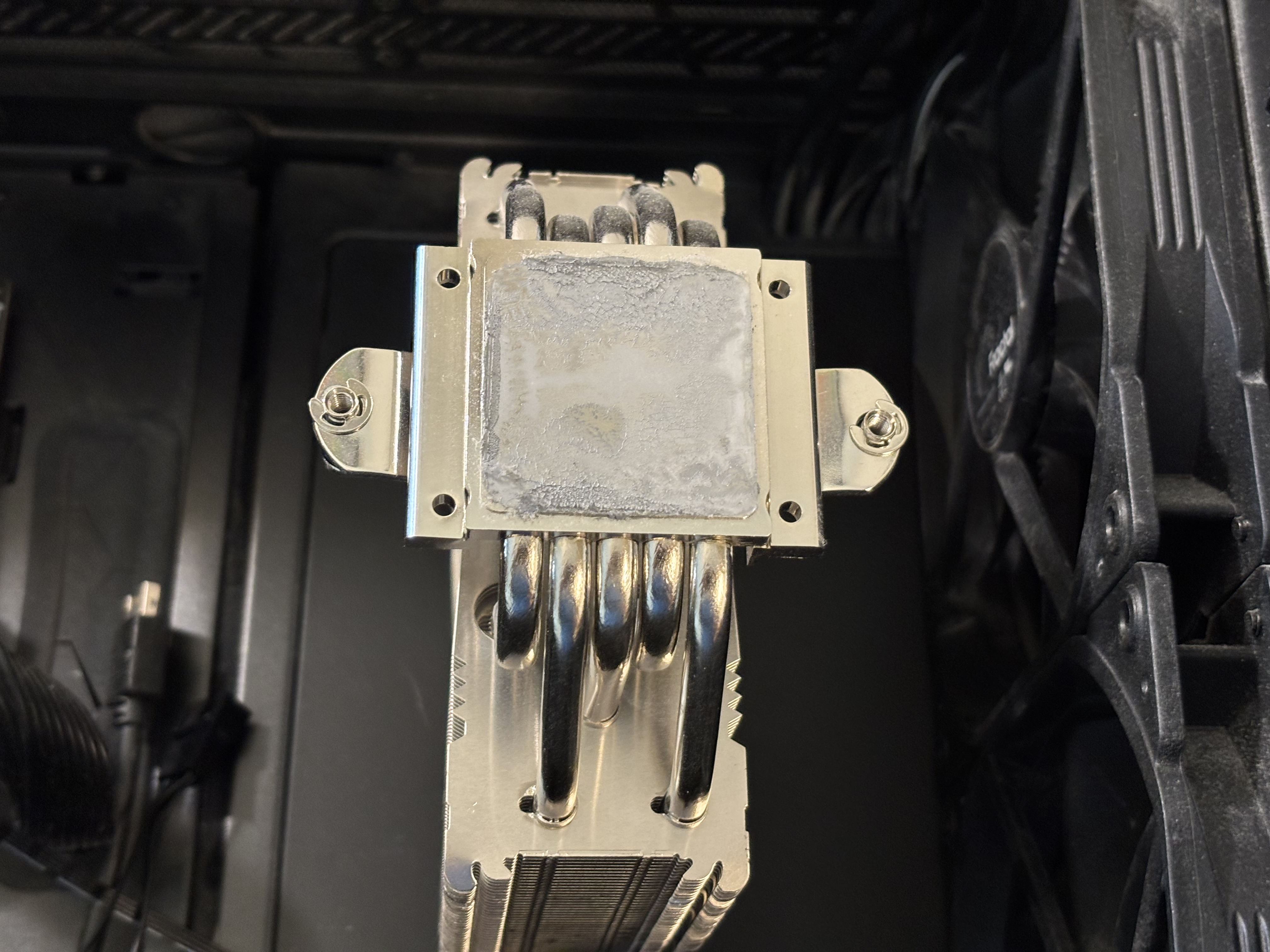
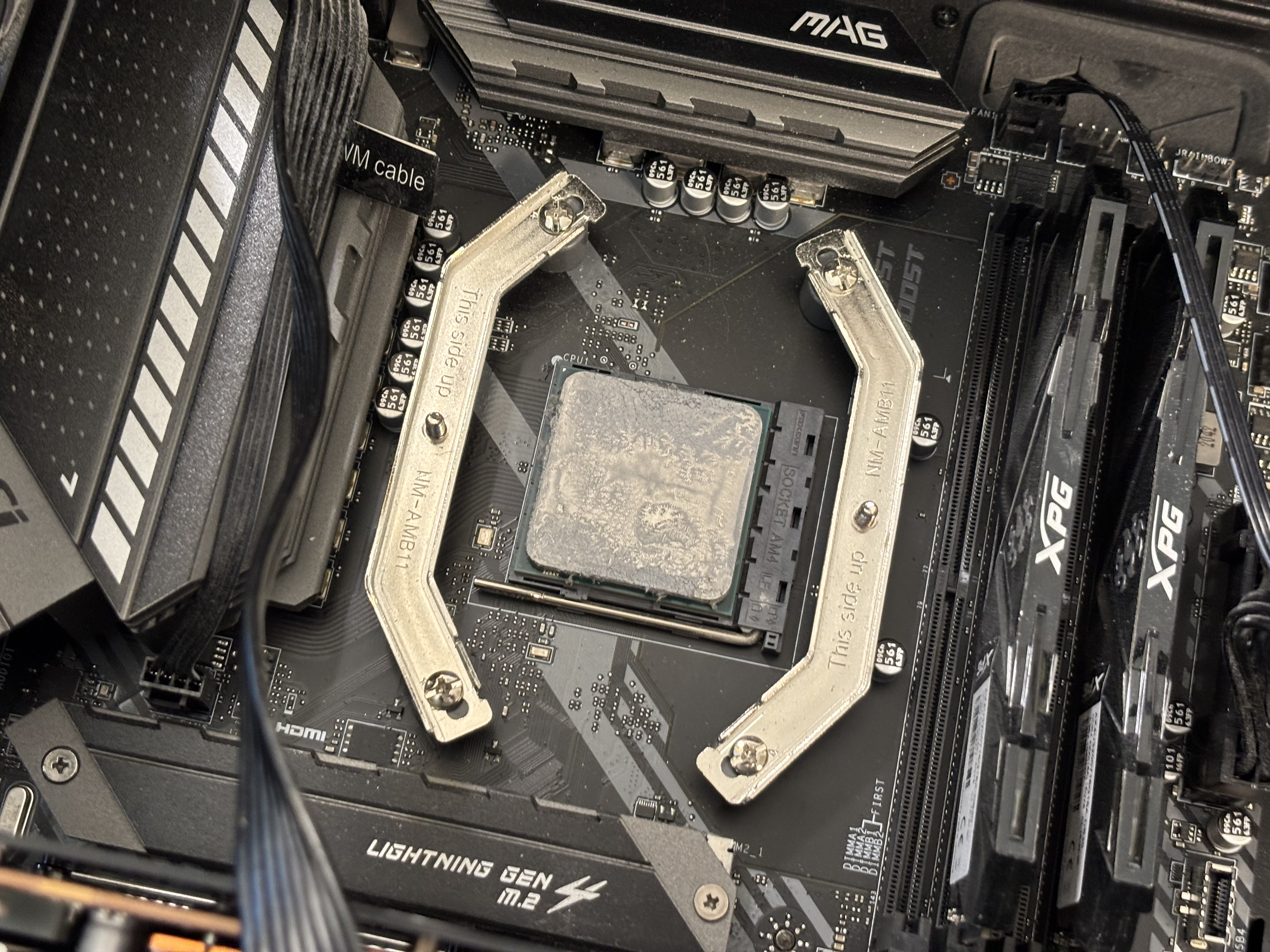
Also, how much am I supposed to use? No idea how you can get two applications out of this stuff. Maybe I used too much. Do the same with thermal paste though.

Well, maybe streaming games works now. Since I’m using Linux Mint. And this text editor sucks, keeps putting a extra ’ in everything.

And now I know why the USB cable for the C front port wasn’t connected. Got a over current condition. Had to turn computer off, and unplug it. That’s the good thing about computer cases, the USB ports die, or come dead. Luckily, I could do it without taking the computer off desk again.

Also, the thermal stuff might be getting better already. Now the temps are the same as before idle.

Finally found a Linux Mint theme, that shows a checkmark by the SSH key to automatically unlock it, so I don’t have to keep copying and pasting SSH password in.

Soul-Light

Somebody on Reddit, said they changed theme and got the checkmark to show up. Too bad they didn’t say what theme.

Can’t use Wayland, cause it has an annoying issue, black bars or something. Wanted to try a different Synergy like program, but the one I found is probably better with Wayland.

Well, USB switch for keyboard, and button on new mouse to connect to laptop.

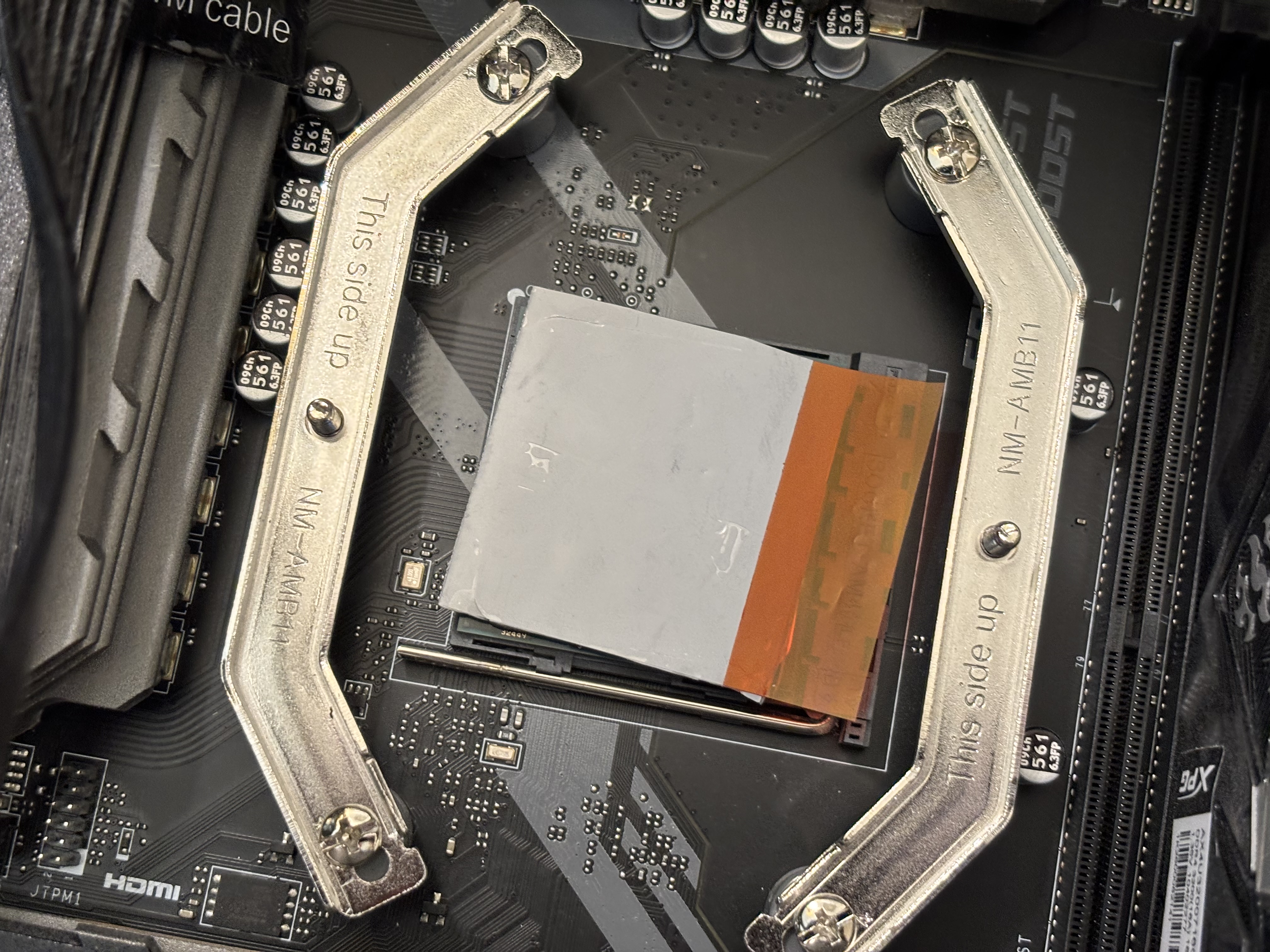
Apparently one drop of rubbing alcohol isn’t possible. I removed the heatsink, and over by the counter, tried getting a drop out of the container of rubbing alcohol, got a lot more. Well, it did make it easier to get the thermal paste off. Didn’t try that on the CPU though.

Also, Q Tips suck. Just use a rag of some kind. I have something that I bought for the 3D printer. Cut some off, since it’s a big piece.

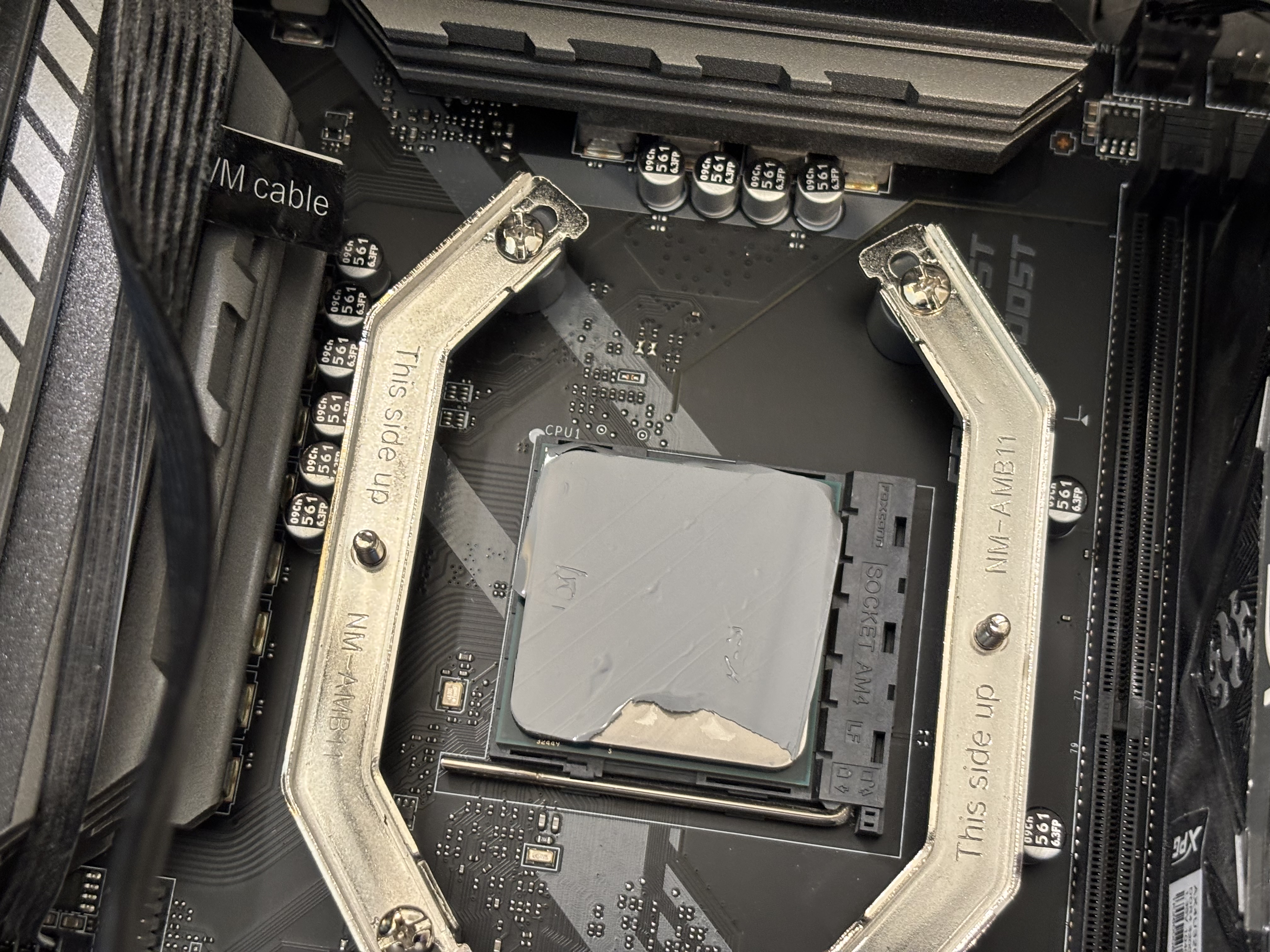
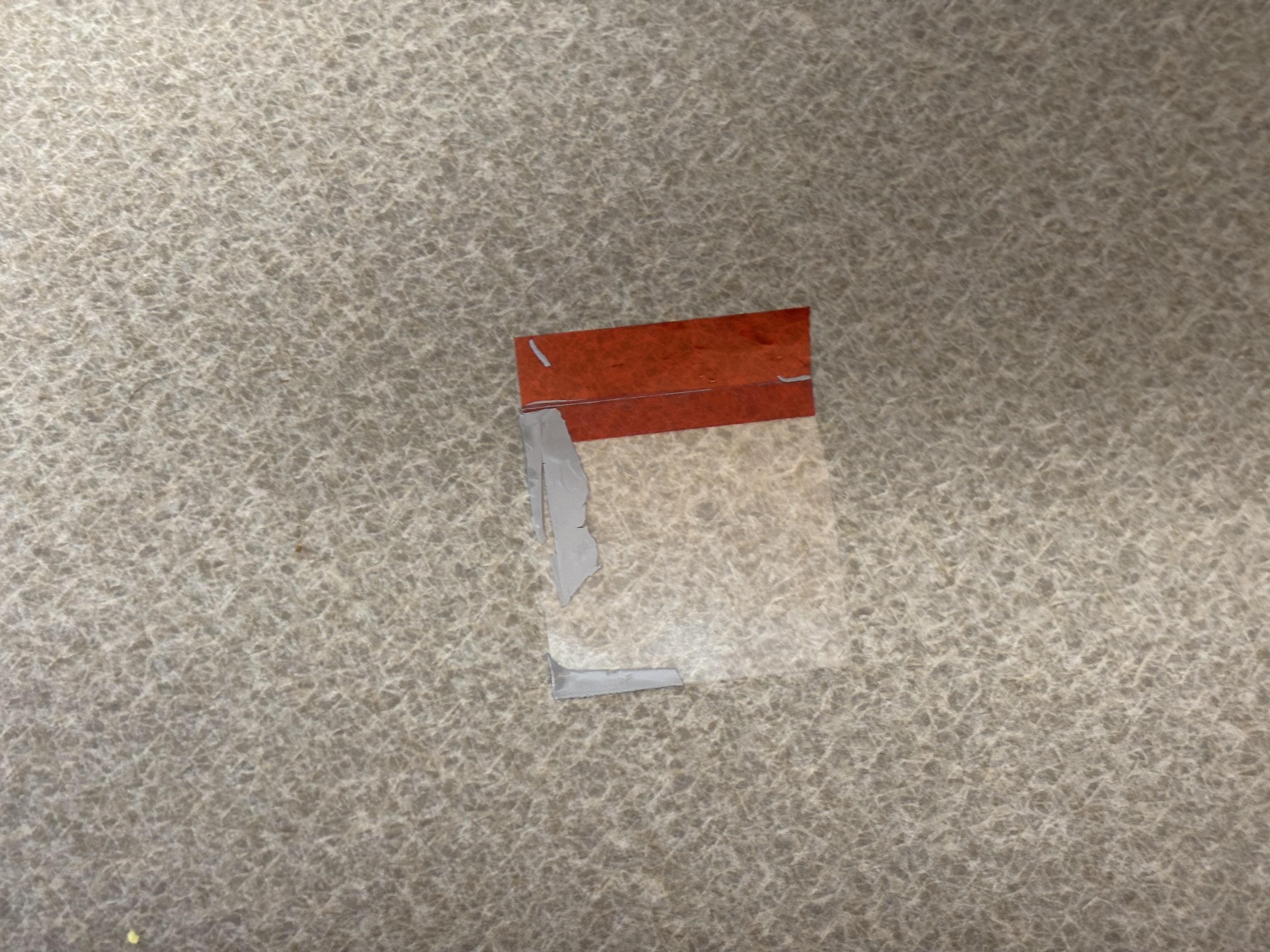
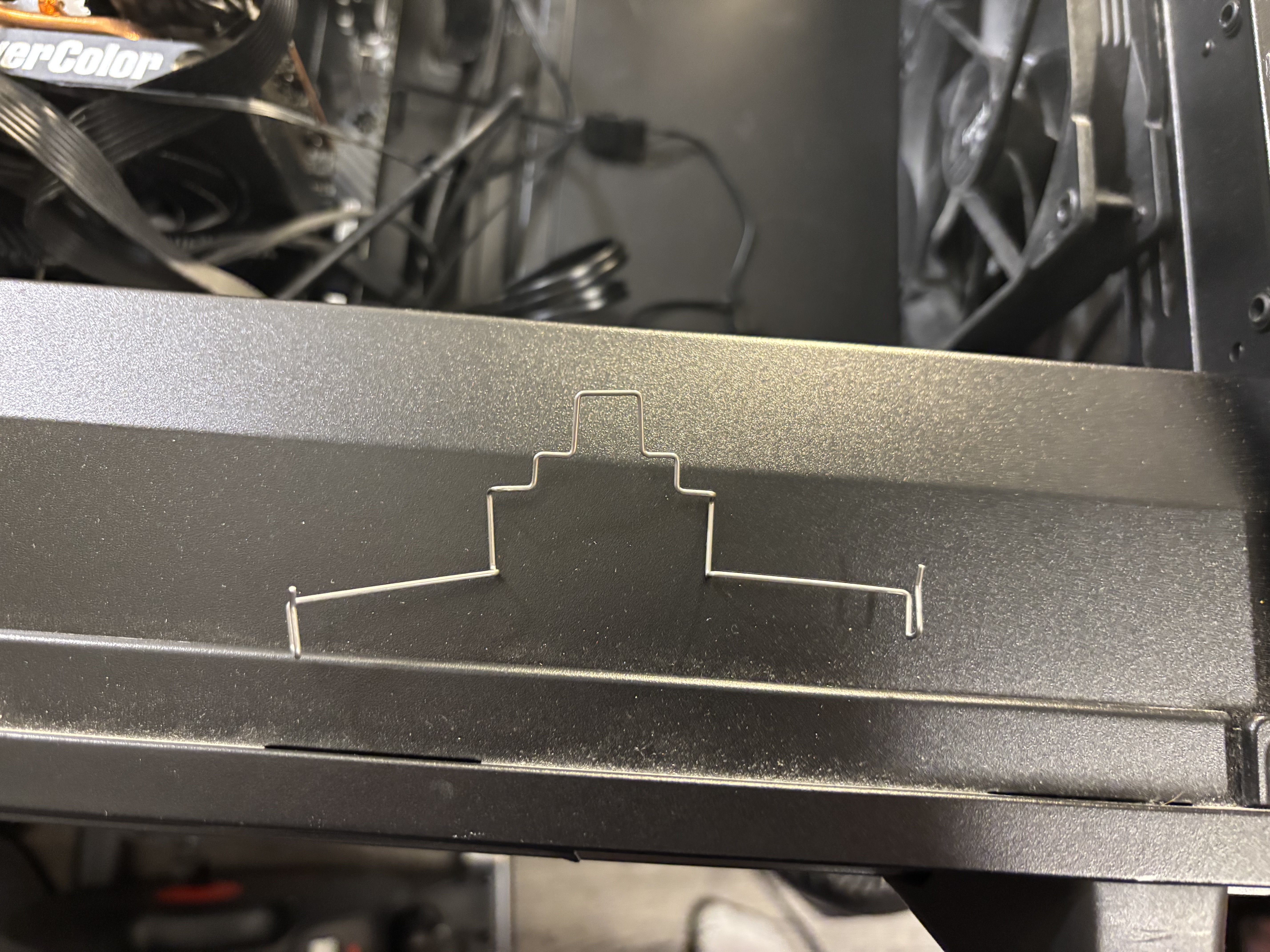
One of the pictures shows where some of the thermal pad went. I set a timer for 3 minutes, like the instructions said. And screwed the thing down, without removing the other tape.

Linux Mint

Downloading it, might try it on my desktop. Not sure how long I want to wait for the Packman repo to be updated, so I can stream with Steam, using VAAPI. Without using the Flatpak Steam.

There’s an official deb package on Steam’s site. Don’t know if that’s the one to install in Linux Mint, probably makes it easy to install, without downloading from Valve.

/dev/nvme1n1p3 on /home type ext4

That was smart, I don’t have to copy my home data back. Still making a backup. But might mostly need to reinstall stuff. Used flatpak list for that, and some rpm command. It’s in a text file. And no newlines, just the name I need to reinstall it. I’m sure some openSUSE stuff will have the wrong name, from the rpm command.

And stuff will need to be reconfigured, the /etc folder.

No more Sunshine in openSUSE Tumbleweed for me

I switched to the openSUSE packages, so no more codecs.

Well, just installed Steam Link on the Atari VCS, better then the full Steam anyways.

I don’t think Packman has been updated still. So switching back to it, might be a pain in the ass.

Apparently the home button doesn’t work in Linux in D-Input mode on an EasySMX D10. Changing it back to X-Input.

There’s a switch mode too. But rather use that with Nintendo 64 Bluetooth adapter.

And to use as a mouse, use AntiMicroX.

To change it to not be a mouse, make a script to open Steam Link, and change the profile in AntiMicroX.

Maybe the lag was because Moonlight was open on desktop. Sunshine works fine in Debian, which the Atari VCS has. Either that, or lots of settings to mess with.

Some people on Reddit, say Flatpak is great vs Packman. Sure, if you aren’t streaming games to anything. Steam is using libx264. So I guess I need the Flatpak or Ubuntu distrobox Steam. What a pain in the ass.

Use a long HDMI cable. Or switch to Arch or something. Maybe not Debian, it might freeze. Did on my laptop.

Or install the Pro AMD driver. Nope, probably not possible with openSUSE Tumbleweed anymore. Or at least not using the amdgpu-install script.

Well, looks like I basically have to wait, for Packman.

eBay scammers still use it

Sellers can be scammed too.

Look up the Nintendo Switch 2. A bunch of 0 feedback sellers, for $200 or a little less. Some for $250 as well.

Maybe it’s the box.

You can get some PS5 games for $150, and $30 for just the box. Video games are still a scam. Used copies, cost almost the same as a new copy, at places like GameStop.

Pretty sure Trade A Game is gone. Probably couldn’t sustain it anymore.

A pre owned Switch 2 is $350, on eBay. That one might be real.

Hmm a refurbished original Nintendo Switch $250 on eBay, but can buy a Switch 2 for less that is “new”. How many accounts does that 0 feedback scammer have?

Well, my original Nintendo Switch might be worth a good amount of money. Cause it can be hacked with software, no mod chip needed.

Hmm, the controller I bought for the Xbox I got rid of, should work with Switch too.

Oh wait, was trying to use it with Nintendo 64 using a Bluetooth adapter. Also, should use it with Atari VCS. Stream Just Cause 3 or whatever I have to TV. Steam Controller might require Steam on the Atari VCS, so I’ll pass on using it. Was having issues using the USB receiver too.

Already have a good controller for the Switch, probably same brand, the Switch controller was cheaper though.

Hmm Mercari might not be great for buyers. Got to pay for protection. Just like the mob does. Somebody on Reddit said that buyers have to pay hidden fees. Around $1.10 for buyer protection, at least for a used game. Which is cheaper on eBay.

$250 for a Mac mini M1, iCloud locked. Apparently they allow people to sell stolen shit, just like eBay.

Do five people really have the one for around $300 in their cart? They have only one sale. I have 0 and no account.

Can get scammed on Swappa too. Probably buyers can scam sellers too.

Might have to file a police report if buying or selling stuff online. Isn’t that nice? Just because my Mac mini only has 8 GB of RAM, doesn’t mean a scammer won’t want it. Then I get to file a police report, and maybe I’ll keep the money. They can send back a broken mini. Or rocks.

Well, can’t read the text on the images on that link, too small.

Nice they got banned from PayPal too. Well, not selling shit online, cause PayPal is the most used thing. Glad I don’t have my bank account linked. They only have my online debit card now. Well, they might have kept the other info they had.

But if I get banned from PayPal, I won’t care. Don’t need PayPal to buy stuff online.

Black Sabbath

Good music. Wonder if I have all their music. Have a bunch apparently.

Apparently, my flash rotates

Never knew my camera flash rotated. I can point it at myself.

This AMDGPU might not be very good for encoding. The files are too big. Got to use the CPU and wait even longer.

Didn’t get rid of the Mac mini yet. Maybe just use it for encoding, till it dies. Better then buying an Intel GPU, just to use for encoding. Cheaper too. It’s only worth $10, according to Best Buy.

I still refuse to install the pro AMD driver. Probably won’t do much.

ProtoArc EM11 NL

Maybe that’ll solve my wrist pain. This wrist rest is hurting my wrist now. Have it, cause it hurts without it too.

Well, might need a different mouse pad. The wrist rest is built in, and I’m too lazy to cut it off. It’s all dusty too.

Somebody said it needs a mouse pad.

That photo on Reddit, looks like a woman’s hand. Isn’t that how computer mouses are sold?

Well, my hand has more hair, but not enough hair. Got a nice white spot on both of my hands though.

I’ll be sure to post a photo, to see if hairy hands on mouses sell mouses too.

Hmm, the only other place to buy is Amazon, or their site possibly in the US.

It’s one of the cheapest vertical mouses. Bummer it has a built in battery. Just leave it plugged in to charge it when the battery dies.

Looks like I have a Amazon link and some money to send. It’s likely shipping from Amazon on their site too. So risk getting a returned one no matter what.

Might be on TikTok, but the link doesn’t work for me.

First email myself the link. Then send it by a text. Isn’t that how “smart” phones work? Oh yeah, got to transfer $22 to my other card too. Maybe she wants a PS5. She can get rid of it, and get $200 or more.

Well, I’m too lazy to turn the PS5 on and reset it anyways.

Ever tried to do split payments with two cards? Well, on the internet, it sure is fun. B&H only allows that on a computer, not in Safari on an iPhone. And also, just use PayPal to do it, cause it failed when I didn’t.

Might work on eBay, if spending $500+.

Not every site that takes PayPal allows it.

Don’t know anything about Amazon, I have no prime anymore, and I’m not giving them any money for prime.

USBIP

Maybe that’s why my USB crapped out again, and the first time.

Had a usbip2.service running. Wondering why computer was off. Not really sure, don’t remember turning it off though.

I’ll blame USBIP though. Cause Kate is working fine now, no more spinning loading thing when opening a text file.

Maybe that’s why iBus was crashing too. But USBIP shouldn’t even be running on router anymore.

Hmm, maybe that Amazon USB hub was fine. No idea though. It’s gone now.

It’s not installed on router anymore.

Maybe my Insta360 x4, will work as a webcam again now. Won’t need it for a while though.

Now to run zypper dup –allow-vendor-change, and kiss Packman goodbye.

GreedFall: The Dying World

Their site says it’s out. Only the shitty PC version. Nothing like buying a hunk of DRM.

Will the entire game be on the PS5 disc? If not, no thanks. Also, if PS5 requires an update to play it, no thanks. I should also unplug Ethernet from my PS5.

Hmm, PS5 is probably worth more to a Pawn Shop, then my Mac mini.

Worth more to GameStop then my Mac mini is to a Pawn Shop.

Looking at the sale on gog.com, reminded me, that they make useless sex games. Apparently some people pay for sex games.

Are the sex games only five seconds long?

Nice I can update my laptop

Guess I’m not using Packman on my laptop with openSUSE Tumbleweed.

I wonder, will using –allow-vendor-change break my desktop?

There’s always –dry-run.

Might work just fine. And I have backups anyways. But then I have to use Flatpak for some stuff. Except, probably am for a lot of stuff. Like the music player.

Try later, have a video appointment soon.

Also, still exporting a video from Insta360 Studio. 4k is a real pain in the ass. Too lazy to install AMF driver as well. No idea if it would help my old GPU anyways.

CPU still gets toasty, but the idle temperature might be less. And only have to hear the loud ass fan sometimes.

Sweet, age verification

Looks like California thinks age verification is useful.

Well, I may get rid of my Steam Deck then.

Or just never update it again. Will need to block it from the internet.

Also, what’s the point in age verification if all you do is select an age? Well, so they can “improve” the law later.

Don’t think my state has such a law yet.

Kind of odd, that California does though.

Oh yeah, I need to clean the contacts on my flash, and maybe camera, for the hotshoe. Cause the flash was being a dick yesterday. Not being detected.

Good thing Apple and Google are in California.

Good thing, I can cancel my internet any day, if I want to.

That was fun

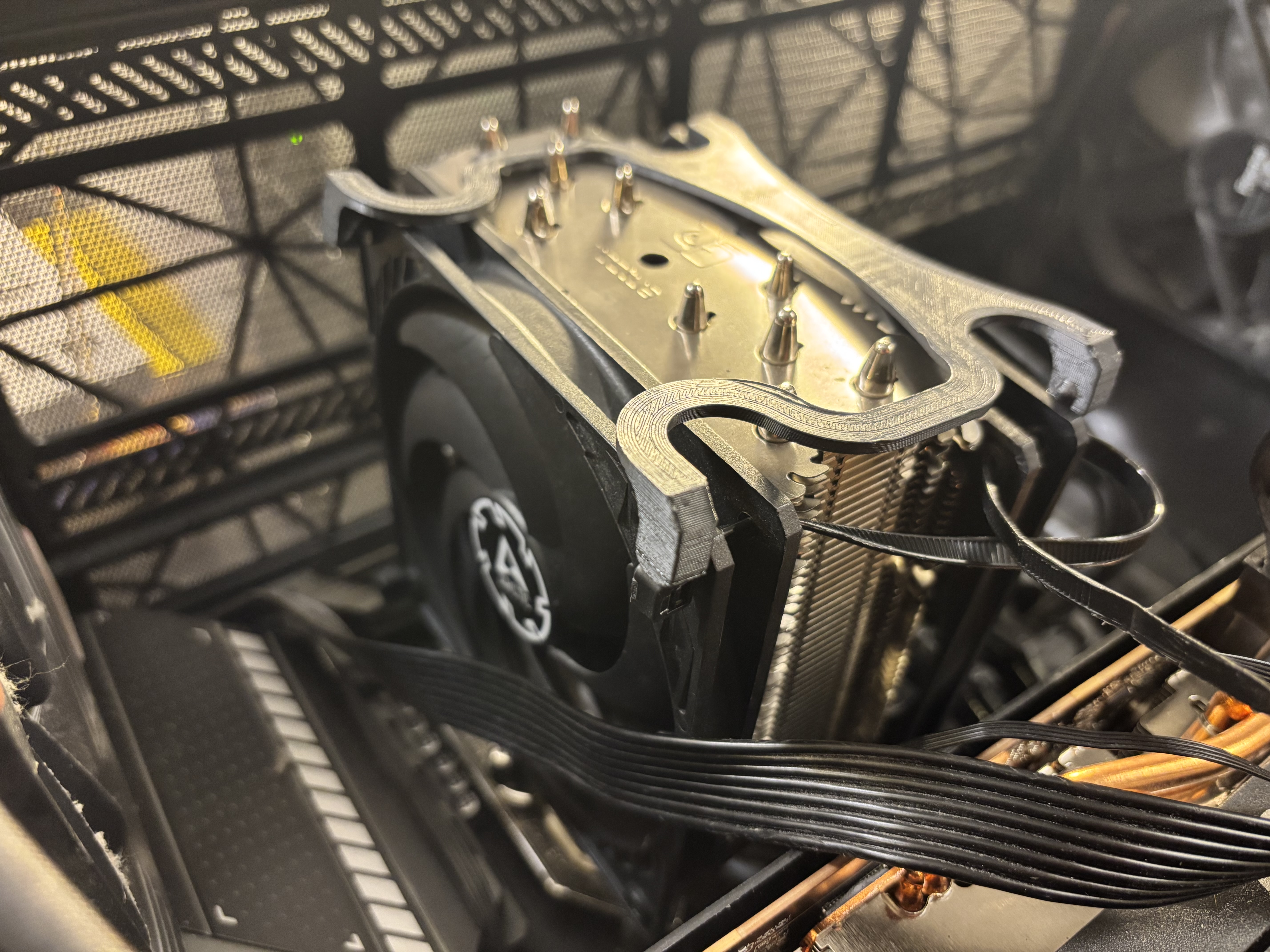
Took an hour or so, to secure the CPU fans better. One of the metal brackets, is apparently useless.

Also, not using the heat sink’s brand fans.

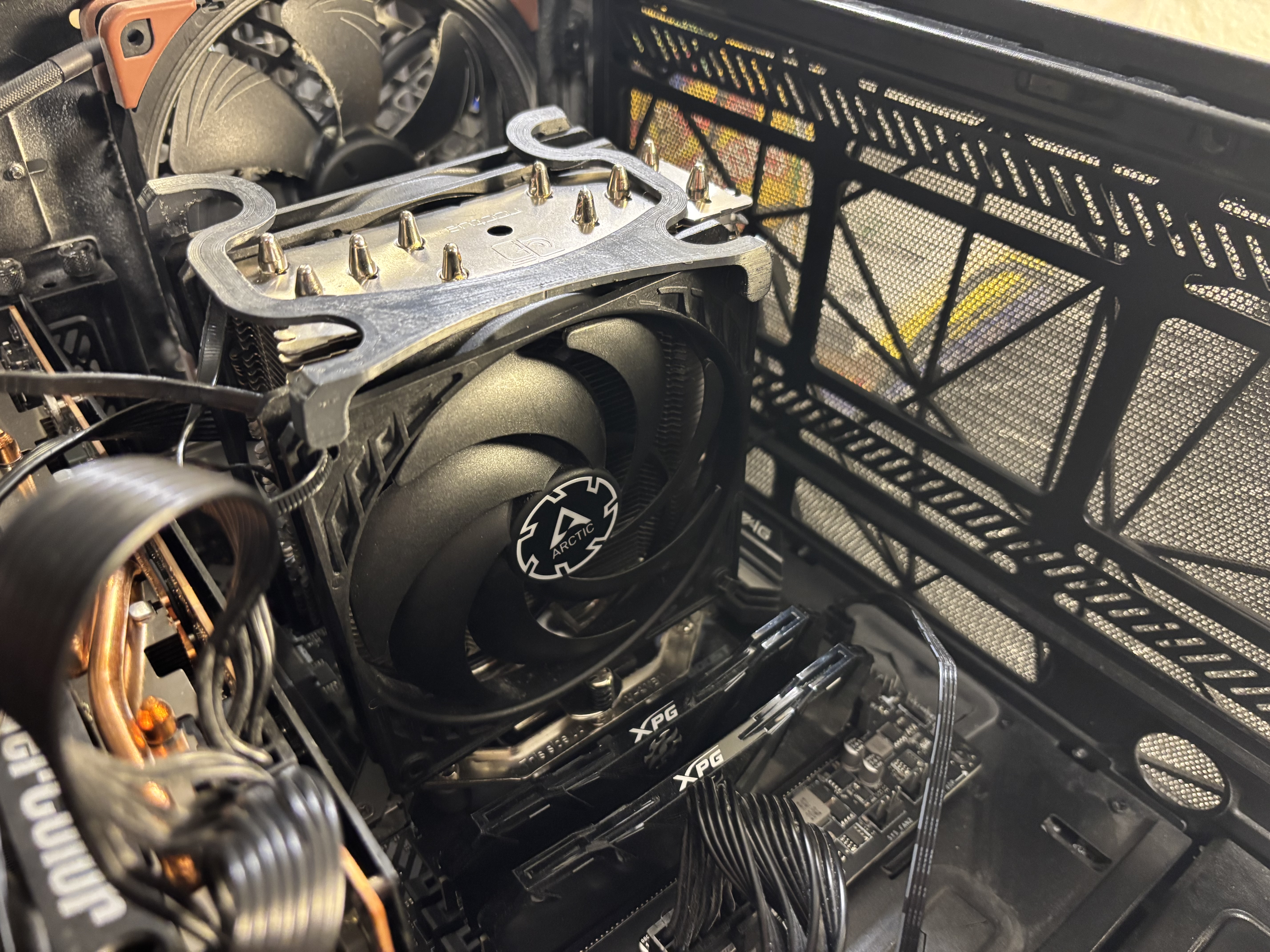
Well, it might be more secure then it ever has been. Using one metal bracket, two zip ties, and a 3D printed plastic thing. I probably have another plastic thing, but putting it on the bottom, is too much work.

Well, the CPU might be cooler now. Got a bunch of dust out. Loud ass fan, not loud anymore. Now the front fans I might hear. Not sure why I needed a splitter, there is another fan spot on the motherboard.

Apparently PCs are better cause they can easily make you bleed. Doesn’t seem like much of a benefit to me.

How many spots are left on the new splitter? Might need to plug front fans into it too.

Not sure I need to change the paste now. Might do it anyways. At least the fans will be easier to install, now that the zip ties are through them again. Used zip ties in the past, but removed the zip ties, well it wasn’t very secure. Think fans work better if touching the heat sink.

Doesn’t look like I fried it with sweat either. Got some psychical pain though while doing it, my back, and knee.

Should have waited till tomorrow to open computer. The cat’s treat was delayed, so was taking my medicine.

Might need to get rid of the record player. Takes way too much room up on table. Easier to use the lamp, if the damn big ass record player wasn’t there.

USB is working again. Maybe it’ll finish copying the 4GB video this time.

Also, the fans aren’t completely aligns, but doesn’t appear to matter.

An easier solution, is to buy a cheap CPU cooler with two fans.

Skinnier zip ties would work better, had to use pliers to get them through the holes.

Zip ties work better then flimsy ass metal brackets.

usb 4-3: device descriptor read/8, error -110

So the front USB on my case no longer works? Can’t update openSUSE, until Packman is updated.

Or I could just compile all the Packman stuff myself. Or I could ditch openSUSE.

Was trying to copy a 4GB video from my Insta360 X4, and it could no longer read it, said “I/O error, dev sdj, sector 9615616 op 0x0:(READ) flags 0x84700 phys_seg 255 prio class 2”.

Tried using a microSD card reader, and got the above error. Well, there may or may not be any free USB ports on the back. And I’m not trying to plug anything back there anyways.

Not sure how putting a computer on a desk is better. Except, getting to the back is a bigger pain in the ass. No room on floor. Only option would be to have it backwards. Might then need a longer power cord. Or have it hang out the front.

Well, need to install the USB fan splitter anyways. Shutting computer down might fix the USB for a while.

More good hot sauce

The other Elixir Hot Sauce I was going to get, is garlic too. The one even hotter, isn’t, but probably too spicy.

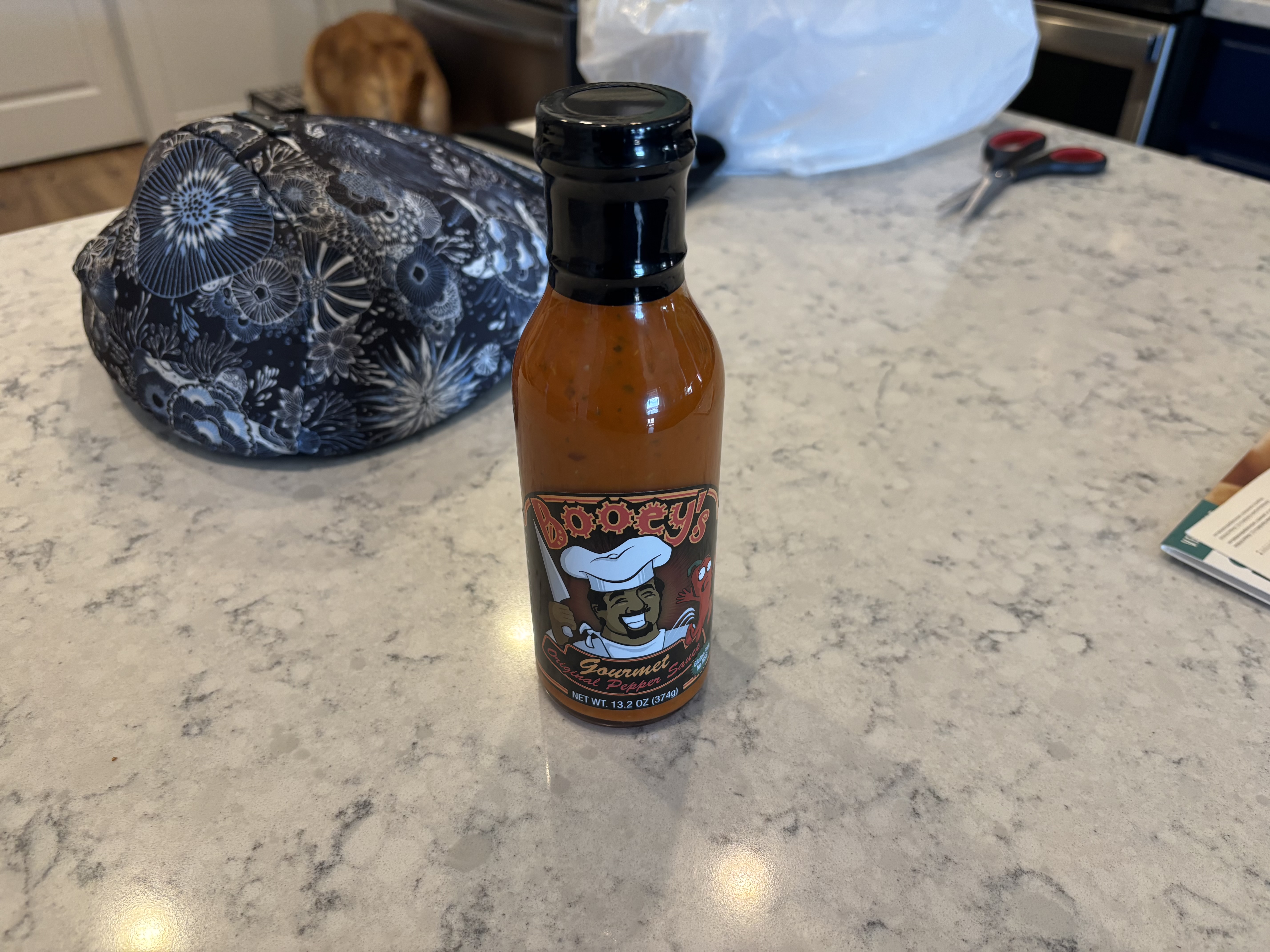
BOOEY’S Original Pepper sauce is good too, tastes similar to Tabasco probably, but better. No fire down below from that either yet, and I probably used too much.

Need to get some Fletcher’s Gourmet Hot Sauce too, it’s $2 cheaper, and some stores might sell it. That is closer stores to me.